Server monitoring continuously checks whether your server is online, reachable, and responding correctly — and alerts you the moment it goes down. This guide shows you how to set up reliable server monitoring in MonitoringDaddy in minutes, so you catch outages before your users do.
What Is Server Monitoring?
Server monitoring sends regular HTTP requests to your server and verifies that it responds with a healthy status. HTTP-based monitoring validates that your application stack — web server, reverse proxy, load balancer, or backend service — is actually serving responses, not just that the host is reachable at the network level.
If your server becomes unreachable, times out, or returns a 5xx error, MonitoringDaddy triggers an alert immediately so you can restore service before the outage impacts customers or revenue.
Why Server Monitoring Matters
- Detect downtime before your users do — automated checks run around the clock, even when your team is offline.
- Catch application crashes and backend failures — a server can be network-reachable while the application process has crashed; HTTP monitoring exposes this.
- Identify reverse proxy and load balancer issues — failures at the proxy layer are caught just as quickly as full server outages.
- Verify deployments in real time — confirm that a new release didn't silently break your service.
- Build reliability evidence — historical uptime data supports SLA reporting and customer trust.
How Server Monitoring Works
MonitoringDaddy performs HTTP-based availability checks from external monitoring nodes at the interval you choose:
- A GET request is sent to the server URL or IP address you specify.
- The monitor waits for a response within the timeout window.
- A 2xx response marks the server UP; a timeout or 5xx marks it DOWN.
- An alert fires through your configured channels the moment a failure is confirmed.
- A recovery alert is sent when the server comes back online.
Supported Server Types
- Web servers — Apache, Nginx, Caddy, IIS
- Cloud instances — AWS EC2, GCP Compute Engine, Azure VMs
- Application servers, load balancers, and reverse proxy endpoints
- Health check or status endpoints (recommended)
Before You Begin
- Confirm your server URL or public IP responds in a browser or via
curl. - Decide which URL to monitor — a dedicated
/healthor/statusendpoint is ideal. - Note the protocol:
https://for secure servers,http://for plain HTTP. - Have at least one alert channel ready — an email address or a Slack/Discord webhook URL.
Step-by-Step Server Monitoring Setup
Server monitoring here is HTTP-based: MonitoringDaddy requests a URL on the server and judges the response. It does not install an agent, so it sees what your users see — and nothing about CPU or disk.
Step 1: Monitors → New
Name the monitor after the server, not the website — Web server 1 — health — so an alert tells you which machine to look at. Enter a URL served by that machine specifically, ideally a /health endpoint.
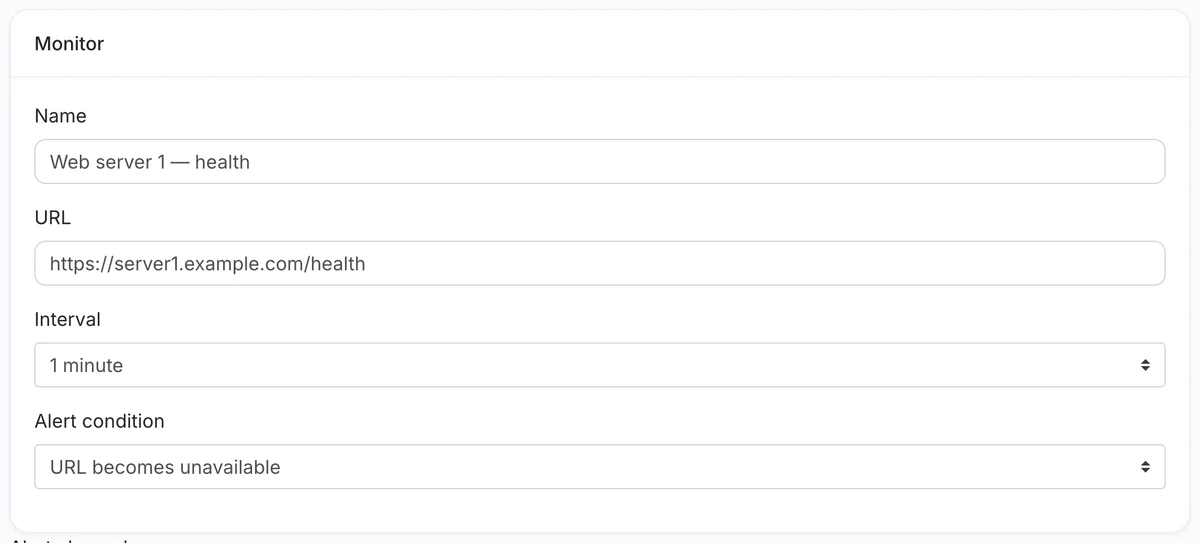 One monitor per server, pointed at a URL that only that server answers.
Step 2: Choose the interval
Pick from every minute to every hour. For production servers, 1 to 5 minutes.
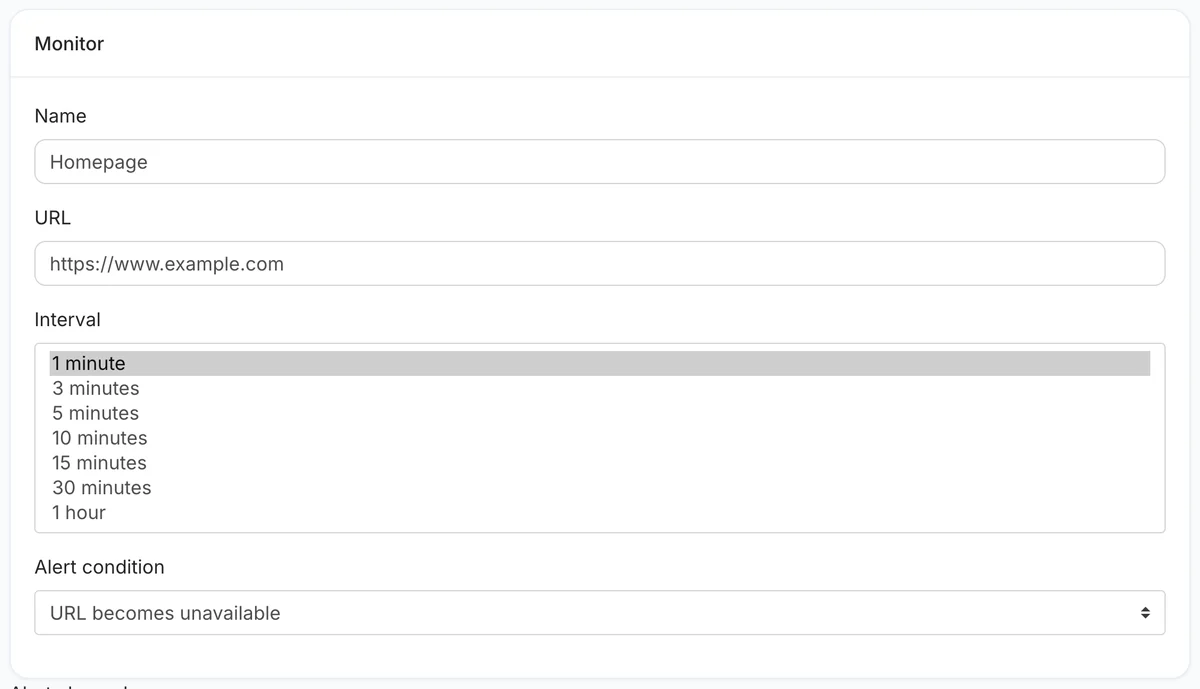 Intervals from one minute to one hour.
Step 3: Decide what "down" means
With URL becomes unavailable, a timeout (ten seconds), a refused connection, a DNS failure or any status outside 200–299 counts as down. If your health endpoint reports problems in its body, use URL response does not contain text with the healthy value instead.
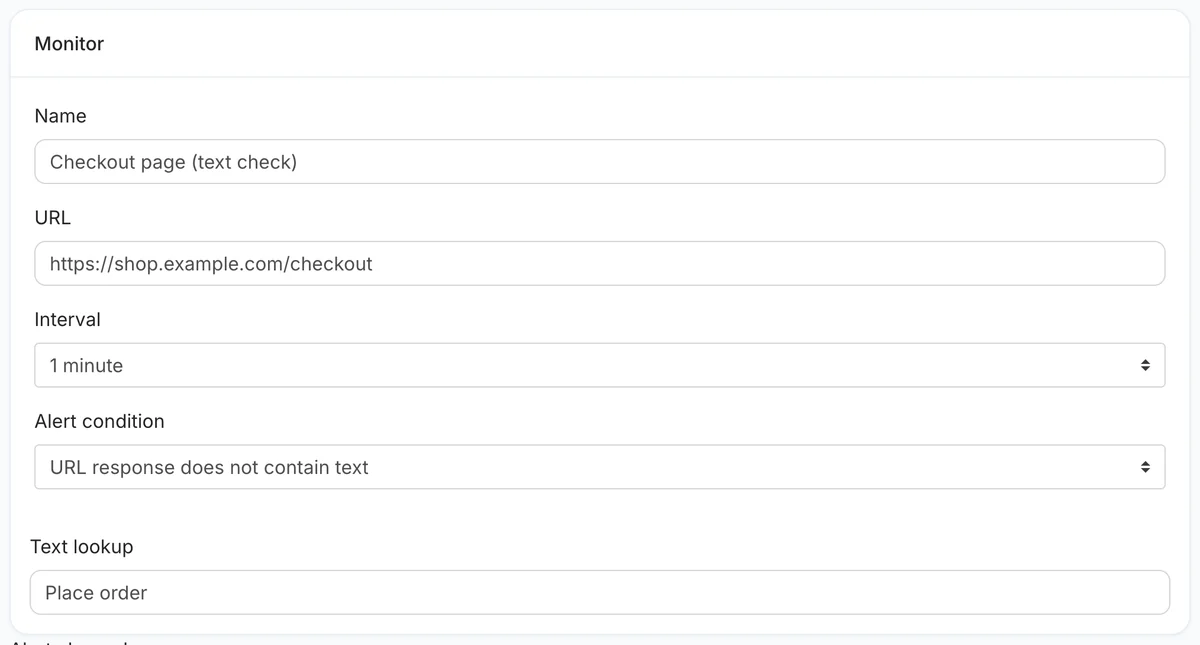 A text check reads what the health endpoint actually says.
Step 4: Alerts, then save
Add at least two channels. A failed check is re-checked immediately before the server is declared down, and you get one alert down and one when it recovers.
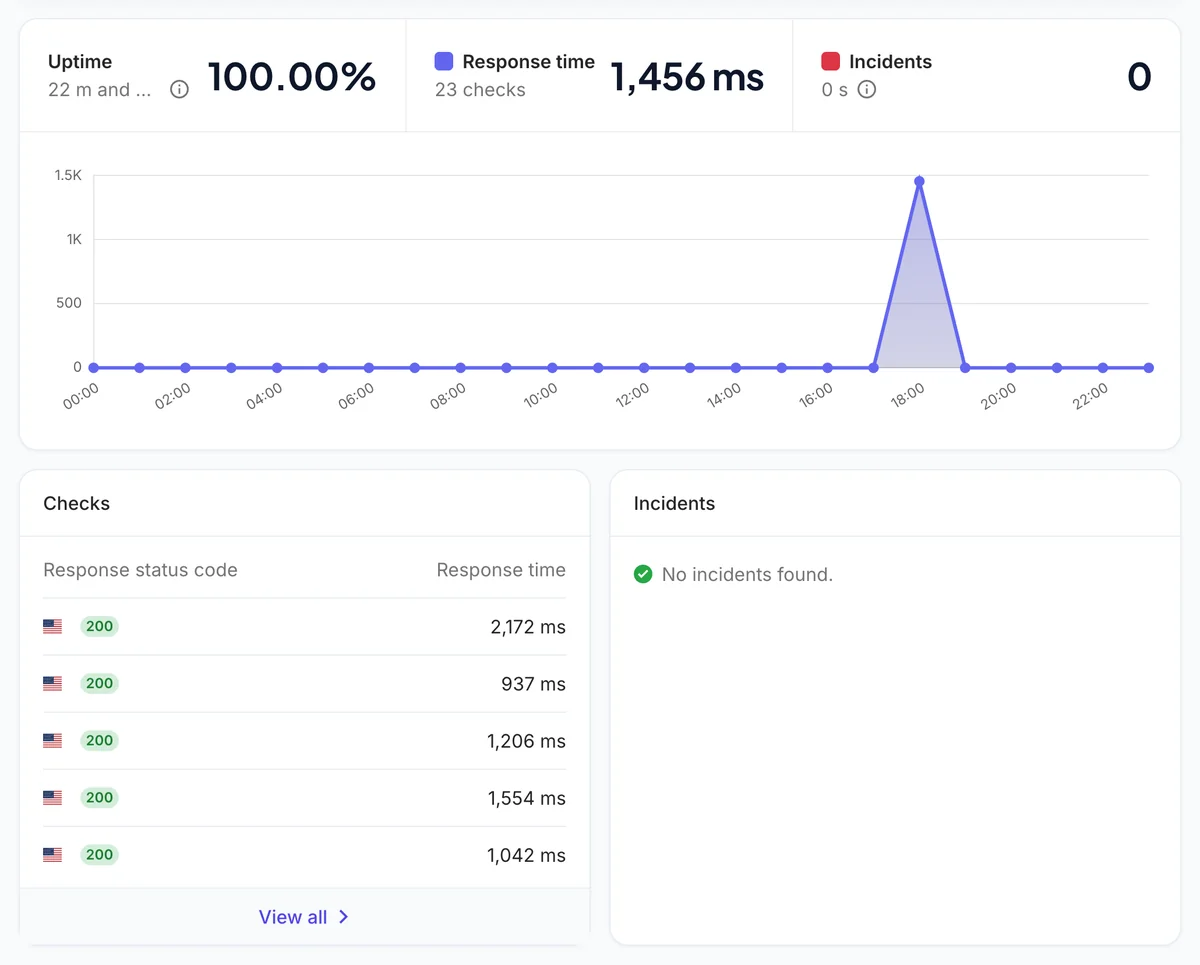 The overview: uptime, response time and every check.
Recommended Configuration
| Setting | Recommended |
|---|---|
| Name | Web server 1 — health |
| URL | https://server1.example.com/health |
| Interval | 1–5 minutes |
| Alert condition | URL becomes unavailable (or a text check on the health response) |
| Request → Method | GET |
| Request → Cache buster | On if anything caches the health URL |
| Alert channels | Email + a team chat channel |
For best results, create a dedicated /health endpoint that returns a lightweight response. Certificate and domain expiry for the server's hostname are separate monitor types under Monitors → SSL and Monitors → Domain expiry.
Best Practices
- Use a dedicated health endpoint — a minimal
/healthroute keeps monitoring overhead low and enables content-based checks. - Set up multiple alert channels — configure email plus a webhook (e.g. Slack) so alerts reach you even if one channel is delayed.
- Enable content checks for critical servers — a server can return HTTP 200 while serving an error or maintenance page; content checks catch this.
- Enable SSL monitoring for all HTTPS servers — certificate expiry is one of the most common and most avoidable causes of server downtime.
Limitations of HTTP-Based Server Monitoring
- Does not track CPU, RAM, or disk usage — pair with an agent-based tool for resource metrics.
- Only validates HTTP/HTTPS availability — raw TCP ports and non-HTTP services are not covered.
- External checks only — internal network issues that do not affect public reachability will not be detected.
For most teams, HTTP server monitoring combined with website uptime monitoring covers the majority of availability scenarios.
Troubleshooting
Monitor shows DOWN immediately after creation
Confirm the URL is publicly accessible. Run curl -I https://server.example.com/health from an external network. If a firewall blocks the probe, whitelist MonitoringDaddy's probe IP addresses.
Monitor shows UP but the server is actually down
A CDN or reverse proxy may be caching the last successful response. Enable the cache buster or switch to a URL that bypasses your CDN layer.
Content-based check fails despite the server being up
The match is case-sensitive. Run curl https://server.example.com/health to view the raw response body and copy the exact expected string into the content field.
Next Steps
Once your server monitor is live, build a complete monitoring stack by adding website uptime monitoring for your frontend and REST API monitoring for your application endpoints. Review available check frequencies and limits on the pricing page.
Frequently Asked Questions
What is server monitoring and how does it work?
Server monitoring sends regular HTTP requests to your server from external nodes and checks whether it responds with a healthy status code. If the server is down, times out, or returns a 5xx error, an alert is sent immediately through your configured channels.
What is the difference between server monitoring and website uptime monitoring?
Both use HTTP-based availability checks. Server monitoring typically targets a backend health endpoint or IP address, while website uptime monitoring targets a public-facing URL. You can run both in parallel for layered coverage.
How often should I check my server?
A 5-minute interval is recommended for most production servers. Use 1-minute checks for critical infrastructure where every minute of downtime matters, and 15-minute checks for staging or non-critical servers.
Does server monitoring track CPU, RAM, or disk usage?
No. MonitoringDaddy's server monitoring confirms HTTP availability only. It does not collect resource metrics like CPU, RAM, or disk I/O — for those you would need a separate agent-based monitoring tool.
Should I enable SSL monitoring for my server?
Yes, if your server uses HTTPS. An expired SSL certificate blocks browser access even while the server is running. SSL monitoring sends advance warnings before the certificate expires so you can renew without any downtime.
What should I enter as the server URL?
Enter the full URL with protocol — for example https://server.example.com/health or http://123.45.67.89. A dedicated lightweight health or status endpoint is ideal, but any responding URL works.
What is the cache buster and why should I enable it?
The cache buster appends a unique query parameter to each check, preventing CDNs and proxies from returning a stale cached response. This ensures every check reflects the true live state of your server.
Can I use content-based checks for server monitoring?
Yes. If your health endpoint returns specific text such as OK, you can configure a content check. The monitor only marks the server as up when that exact text appears in the response body, catching degraded states where the server returns 200 but is not healthy.