Keyword monitoring checks whether specific text appears or disappears on any webpage and alerts you immediately when content changes. Set up keyword monitoring in MonitoringDaddy to catch defaced pages, broken deployments, missing offers, and blocked content that still returns HTTP 200 — all before your users notice.
What Is Keyword Monitoring?
Keyword monitoring (also called a response-contains check) works by fetching a URL on a scheduled interval, scanning the full HTML response body, and verifying whether a specific string is present or absent. The moment the result changes — the text disappears when it should be there, or appears when it should not — an alert fires to your chosen channel.
Unlike an HTTP status check, keyword monitoring looks inside the page. A server can return 200 OK while serving a maintenance splash, a blank screen, or a defaced homepage. A keyword check catches all of those scenarios because it verifies actual content, not just the response code.
Why Keyword Monitoring Matters
Teams that rely on website uptime monitoring alone can miss a whole class of silent failures. A server can return HTTP 200 while serving a broken, empty, or defaced page — and no status-code check will catch that. Common situations where only a keyword check alerts you:
- Website defacement — An attacker replaces your homepage content while HTTP status stays 200.
- Broken deployments — A bad push empties a template partial; the page loads but key content is gone.
- CMS accidents — An editor accidentally unpublishes a block or clears a pricing field.
- CDN serving stale content — Your origin updates but the CDN continues to serve an old version without the latest terms or announcement.
- Geo-blocking or bot-blocking — Your site returns a CAPTCHA page behind a 200 status code.
- Unauthorized SEO or pricing changes — Target keywords, plan names, or promotional text change without authorization.
How Keyword Monitoring Works
At each interval tick, MonitoringDaddy sends an HTTP GET request to your target URL from an external monitoring node. The full response body is received and scanned for your configured string. If you use the URL does NOT contain keyword trigger, an alert fires when the string is absent. If you use URL contains keyword, an alert fires when the string appears — ideal for detecting error messages or injected spam. A recovery notification is sent automatically once the condition resolves.
Before You Begin
- Use View Source (
Ctrl+U) to confirm your keyword appears in the raw HTML, not only in a JavaScript-rendered layer. - Choose a stable, unique phrase — a permanent heading or product name works better than a single common word.
- Decide the alert mode: "must be present" (alert on missing) or "must be absent" (alert on appearing).
- Have at least one alert channel ready — an email address or a Slack / Discord webhook URL.
Step-by-Step Keyword Monitoring Setup
A keyword monitor is an ordinary uptime monitor with a text condition, so it is created from the same form.
Step 1: Open Monitors → New
Give the monitor a name that says what it protects — Checkout — Place order button — and paste the page URL.
Step 2: Choose the text condition
Set Alert condition to URL response does not contain text to be alerted when an expected phrase disappears (the usual case), or URL response contains text to be alerted when an unwanted phrase appears, such as "Fatal error" or "Out of stock". Enter the phrase in Text lookup. The match is on the raw HTML the server returns, and it is case-sensitive.
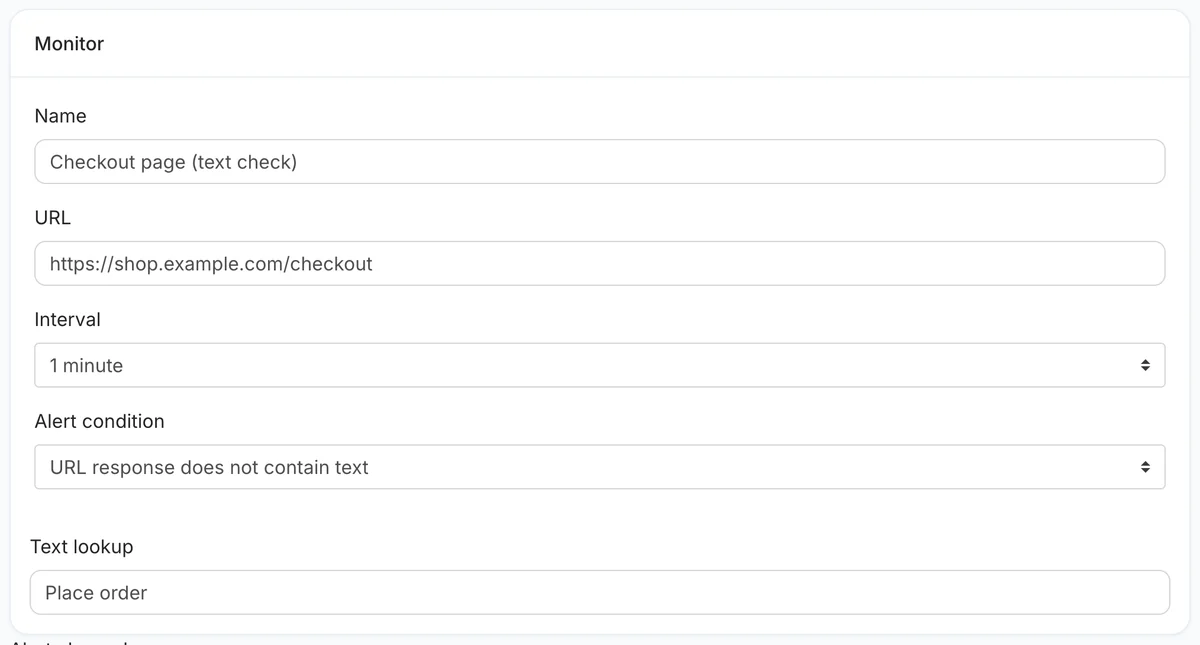 Alert when "Place order" is missing from the checkout page.
Step 3: Choose the interval
Pick how often to check, from every minute to every hour, depending on your plan.
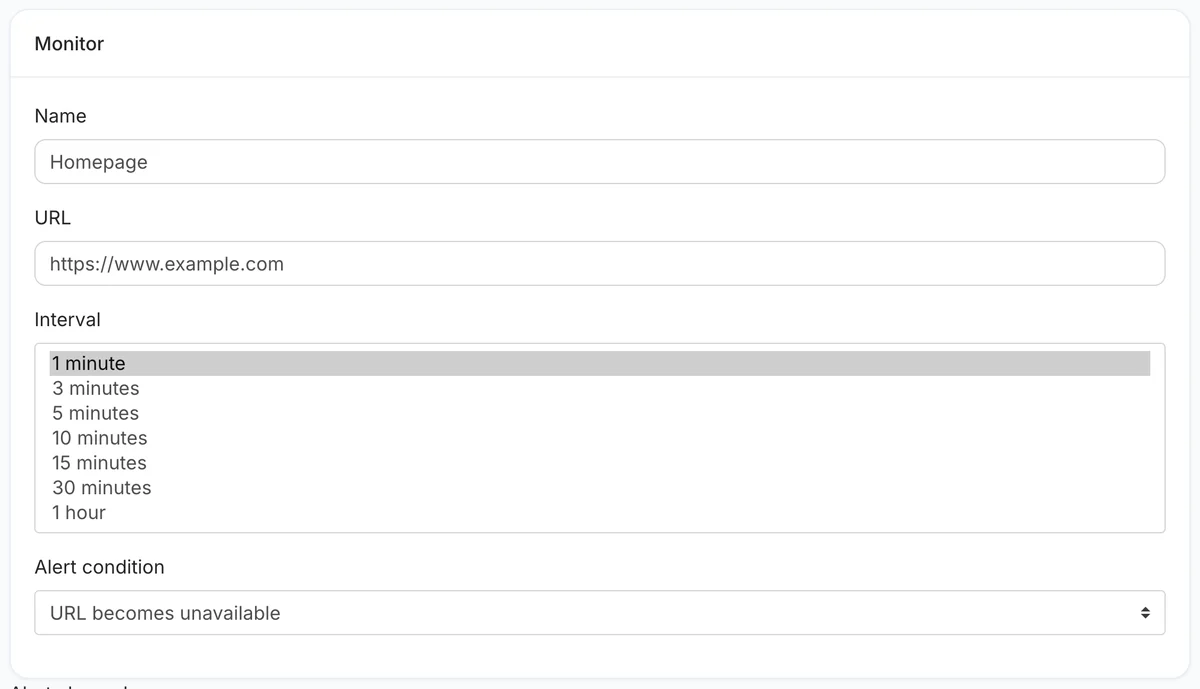 Intervals from one minute to one hour.
Step 4: Add alert channels and save
Add email plus a team channel. When the text check fails, the monitor is marked down and alerts once; when the phrase is back, it alerts once more to say so.
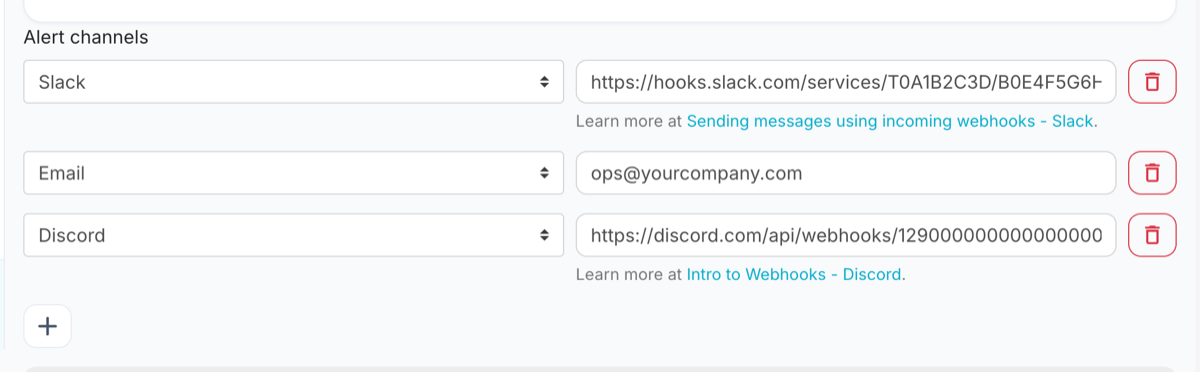 Channels are set per monitor.
With a text condition, the text decides up or down on its own: a page that returns an error status but still contains your phrase counts as up. If the status code matters as well, add a second, ordinary uptime monitor on the same URL.
Recommended Keyword Monitoring Configuration
| Setting | Recommended |
|---|---|
| Name | Homepage — headline text |
| URL | https://example.com |
| Interval | 5 minutes |
| Alert condition | URL response does not contain text |
| Text lookup | A phrase that only appears when the page works |
| Request → Cache buster | On, if a CDN or page cache sits in front of the page |
| Alert channels | Email + a team chat channel |
Choose a phrase from the part of the page that is generated by your application, not from a template header, so that a half-broken page — header rendered, content missing — still fails the check.
Best Practices for Keyword Monitoring
Choose Stable, Unique Text
The best keyword anchor is a short phrase specific to the page's core purpose that is unlikely to change in normal operation — a tagline, a section heading, or a product name. Avoid dynamic content like timestamps, counters, or personalized greetings.
Monitor for Negative Keywords (Should-NOT-Contain)
Add a second monitor using the URL contains keyword trigger to detect strings that should never appear on a live page:
403 Forbidden/Access DeniedUnder MaintenanceHacked ByError establishing a database connection
These "should-NOT-contain" monitors act as a second defence layer against errors that return HTTP 200 with an error body.
Stack Multiple Monitors per Critical Page
Set up two or three keyword monitors on your most important pages — the hero heading, a key benefit, and the footer CTA — so a partial template failure that removes only one section is still caught.
Troubleshooting Keyword Monitors
Alert fires but the keyword appears in the browser
The most common cause is JavaScript rendering. MonitoringDaddy fetches raw HTML; content injected by JavaScript after page load is invisible to the monitor. Use View Source (Ctrl+U) to confirm the keyword is in the static markup, and switch to a server-rendered string if it is not.
Intermittent or false-positive alerts
The keyword may be inside an A/B test variant that is sometimes absent. Switch to a stable, always-rendered string. For should-NOT-contain monitors, verify the negative keyword does not appear in HTML comments or script blocks during normal operation.
Monitor stays in error state after you fix the page
Wait for the next check interval — recovery is sent automatically once the keyword is detected. You can also trigger an immediate recheck from the MonitoringDaddy dashboard.
Next Steps
Now that your keyword monitor is live, consider building a complete monitoring stack for your most critical pages. Start with website uptime monitoring to catch server-level failures, add keyword monitoring to verify content integrity, and use REST API monitoring if your site depends on backend services. You can run as many monitors as your plan allows — see the pricing page for details on check frequency and monitor limits.
Frequently Asked Questions
What is keyword monitoring and how is it different from uptime monitoring?
Keyword monitoring checks whether specific text exists inside a webpage's HTML response. Uptime monitoring only checks that the server responds. A page can return HTTP 200 while serving broken or defaced content — keyword monitoring catches these silent failures that status-code checks miss.
What should I use as my keyword?
Choose a unique phrase of 3–8 words specific to the page's purpose — a section heading, a product name, or part of a key CTA. Avoid single common words, dynamic content like dates, and any text injected by JavaScript after page load.
Should I alert when the keyword is present or when it is missing?
Most monitors use URL does NOT contain keyword to alert when expected content disappears. Use URL contains keyword for a second monitor that fires when unwanted text — error messages, maintenance banners, or injected spam — appears on the page.
Why does my monitor fire an alert even though I can see the keyword in my browser?
MonitoringDaddy fetches the raw HTML response, not a JavaScript-rendered page. If the keyword is injected by JavaScript after the initial HTML loads, it is invisible to the monitor. Open View Source to verify the keyword is in the static markup and switch to a static string if needed.
How often should I run keyword checks?
Use a 5-minute interval for critical pages such as homepages, checkout pages, and compliance content. Use 15 minutes for lower-priority pages. A 1-minute interval is available for maximum sensitivity on high-value pages.
What is a cache buster and do I need it for keyword monitoring?
A cache buster appends a unique parameter to each request so CDNs cannot serve a stale response. It is especially important for keyword monitoring because a cached page could hide real content changes on the origin server. Keep it enabled.
Can I monitor pages that require a login?
Yes. Add a Bearer token, session cookie, or Basic Auth credentials in the Headers and Authentication fields. MonitoringDaddy will include them with every request, allowing you to monitor authenticated dashboards and member-only content.
How many keyword monitors can I run simultaneously?
Monitor counts and minimum intervals depend on your MonitoringDaddy plan. A common setup is one "content present" and one "error absent" monitor per critical page. See the pricing page for plan limits.